Go to Main
Crypto Merch Store App
the first marketplace in the TON blockchain ecosystem,
where users can exchange NFTs for their physical duplicates.

Task
Based on the input data and the rough layout of the main screens, create a full-fledged design without a prototype (due to limited deadlines).
Develop the design of the main page, catalog, profile page and the exchange registration screen.
Create a minimal UI Kit to speed up and unify development.
Design an admin panel for managing content and products in an application
Provide a logical structure, intuitive navigation and a visual difference from Web3 - a light theme
Competetive analyze
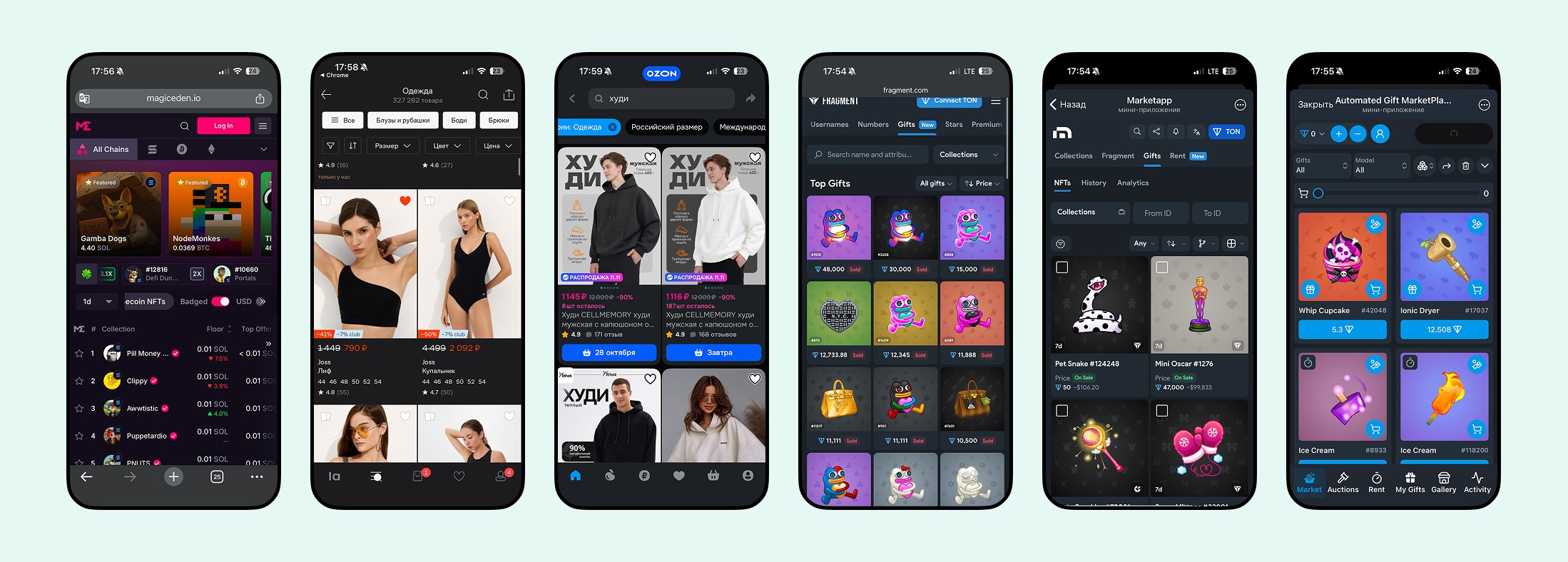
I studied related applications that were focused on selling NFTs and beyond: Fragment, Tonnel, Getgems, OpenSea, OZON, Wildberries
Product catalog
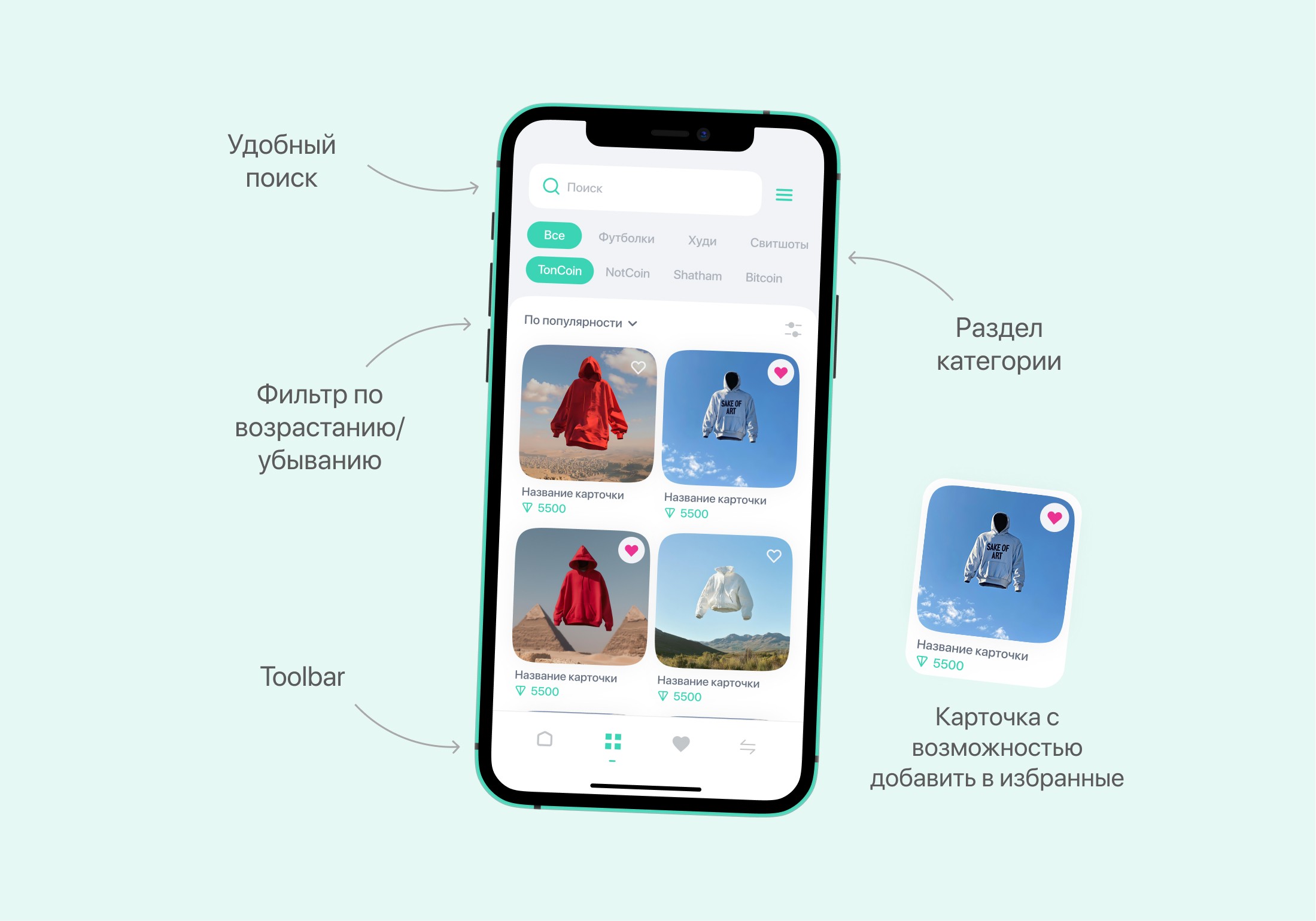
In regular marketplaces, a convenient UX practice was used - categories and brands in the form of a slider. I took this approach on muzhko and suggested it as the main option for searching for an NFT product inside the CryptoMerchStore application. And below, detailed filtering by price, size, and color is already in the search.
This option is suitable for the product, because there are not too many categories and brands and they can be scrolled quite easily and quickly with a horizontal slider. It would be another matter if there were a lot of them. This was not calculated from the words of the CEO of the product.
Based on an analysis of the main application screens and a survey of 30 people (foreigners in the Russian Federation who transfer money to their country), I identified a function that would be useful and developed a prototype.:
The NFT exchange process
The exchange process takes place through Getgems. The user wishes to exchange their product for a real physical one by filling in the data in the application and sending it to Getgems for further action.
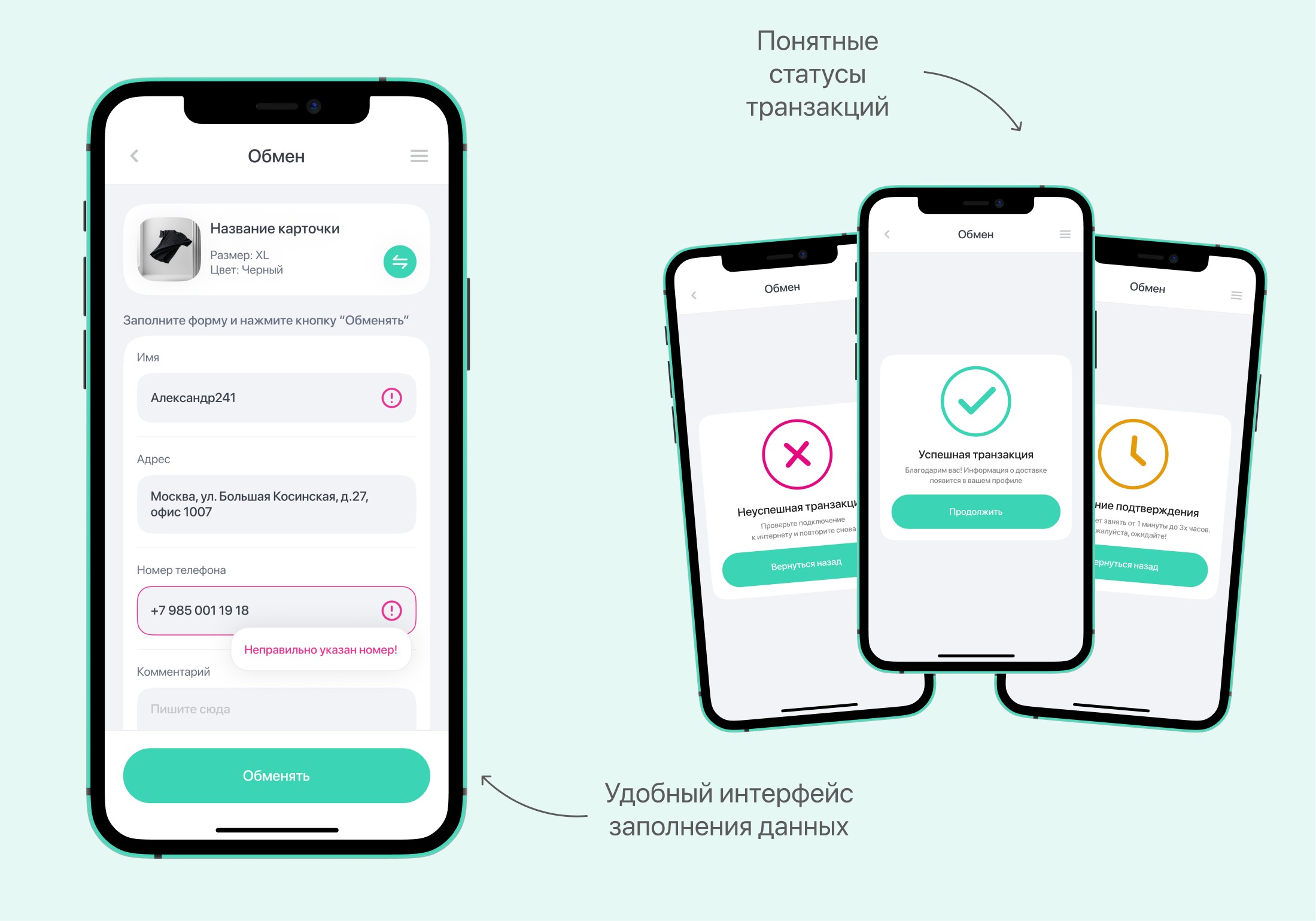
It is important not to load users with data filling fields and to correctly show the correctness of the filling. If the user makes a mistake, he immediately understands where he made a mistake in the fields. I also worked out the transaction status screens. They are shown only after switching to Getgems and back.
Admin Panel
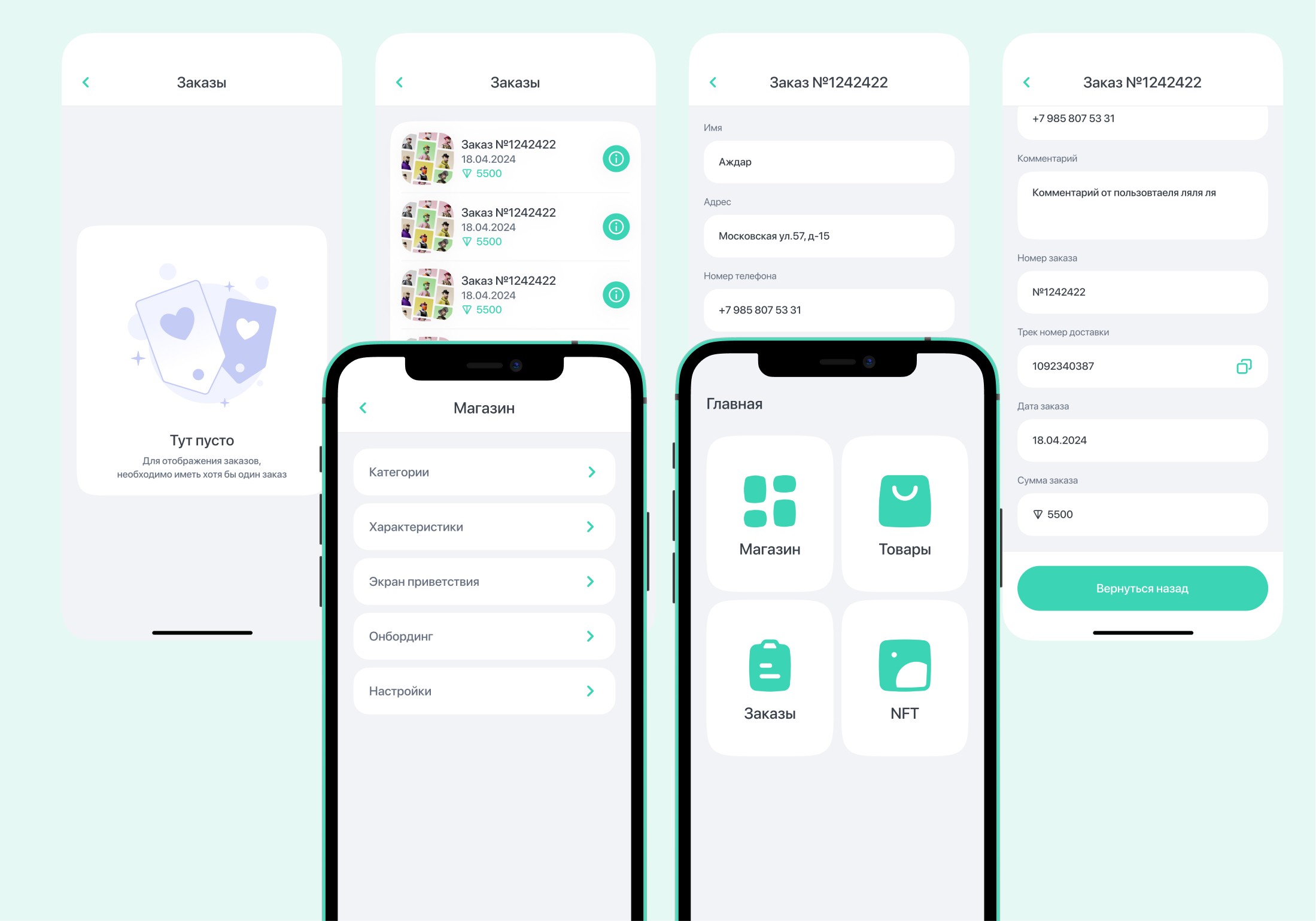
The main functions that were included in the admin panel:
Adding categories to the store, editing products
Configuring the home screen to display TOP products
View current orders for sending to individuals.duplicate at
Thanks for watching!
Go to Main